Analyst UX options (RUX vs QUX)
How to tell Respond UX from Quadrant UX and what differs across features and docs.
Introduction
The Respond User Experience (Respond UX) and the Quadrant User Experience (Quadrant UX) are two different analyst user experiences that Vectra offers. When searching for documentation, it is important to differentiate between these two UX offerings as some documentation is specific to each UX type. One example is that SAML SSO claim requirements are different for use with the Respond UX and the same claim setup cannot be used for both the Respond UX and the Quadrant UX.
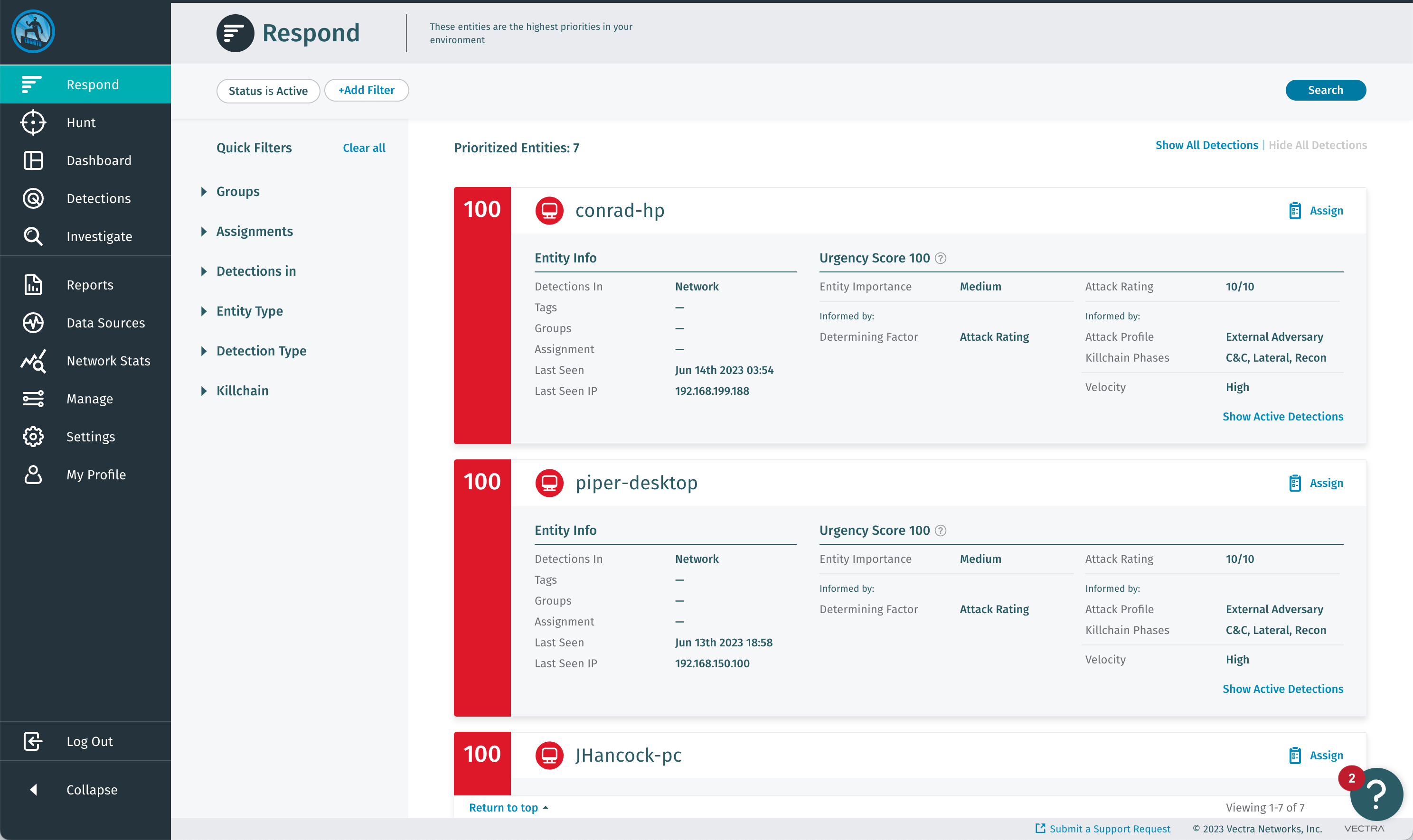
Respond UX
The Respond UX offers a unified view with AI-driven Prioritization and a single urgency score for all entities (hosts, accounts, etc) across all data sources (network, public cloud, SaaS, etc).
Features such as Instant Investigation and Advanced Investigation are only available in the Respond UX.
You are using the Respond UX if you access the Vectra AI platform using a URL that is constructed similar to this:
https://[unique_customer_id].[region_code)].portal.vectra.ai/signInIn this case, the Respond UX Vectra UI is served from the Vectra AI platform.
For customers with network data sources (Sensors), a Brain appliance (linked to the Vectra AI platform) still manages paired Sensors and on-prem integrations such as AD, EDRs, Windows Event Log ingestion, Stream, etc
Example Respond UX screenshot:

Quadrant UX
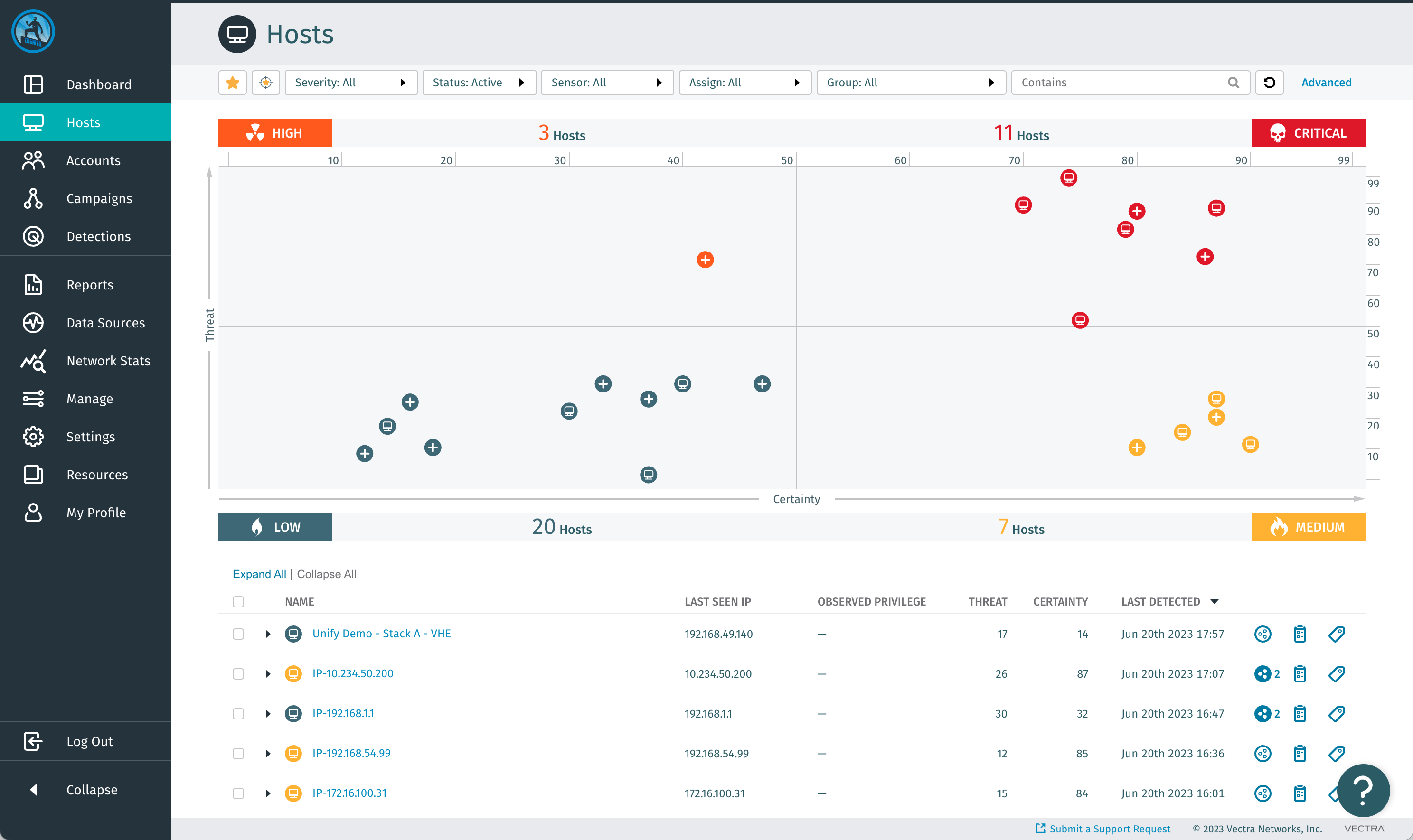
The Quadrant UX is the classic experience that existing Detect for Network customers are familiar with.
It offers separate threat and certainty scores with separate host and account prioritization.
If your UI is served from a Brain appliance, then you are using the Quadrant UX.
The Brain appliance could be deployed in your IaaS public cloud account (such as AWS or Azure), or it could be a physical or a virtual appliance deployed in your network.
The URL to access the brain will vary based on your deployment and whether you access it by hostname or IP.
For customers with non-network data sources (Azure AD, M365, AWS – control plane data sources), the Vectra AI platform delivers detection data to your Brain for use with the Quadrant UX.
Example Quadrant UX screenshot:

Terminology
Some existing customers may have both UX's deployed as part of their overall implementation. Vectra's original product, Detect for Network, historically used what is now known as the Quadrant UX. When Vectra began offering SaaS based deployment of Detect for M365, Detect for Azure AD, and Detect for AWS, a version of the Quadrant UX that was served from the Vectra AI Platform was the default UX. After the launch of AI-driven Prioritization, the UX served from the Vectra AI Platform is now known as the Respond UX. The below definitions can help with naming changes and what older names you may have heard really refer to now.
Vectra AI Platform
Current
Vectra’s cloud platform, delivered as SaaS
Current
Respond UX
Current
Vectra’s analyst user experience that is served from the Vectra AI Platform
Current
Respond UX for Network
Current
This refers to using the Respond UX with network data sources (Sensors).
Current
Quadrant UX
Current
Vectra’s classic user experience that is served from a Brain appliance
On-prem UI, appliance UI, classic UI
Vectra SaaS / SaaS UI
Deprecated
Legacy terminology for the Vectra AI Platform or SaaS delivered analyst user experience
N/A
Vectra Cloud / Cloud UI
Deprecated
Legacy terminology for the Vectra AI Platform or SaaS delivered analyst user experience
N/A
Vectra CDR for M365
Current
Vectra's product that examines logs from M365
Detect for M365, Detect for Office 365
Vectra IDR for Azure AD
Current
Vectra's product that examines logs from Azure AD
Detect for Azure AD, Detect for Office 365
Vectra CDR for AWS
Current
Vectra product that examines logs from AWS
Detect for AWS
Vectra NDR
Current
Vectra's product that examines network traffic
Detect for Network
Last updated
Was this helpful?